 |
|
|
|
Screen Size and Resolution
Zoom, Scale and Color
|
How to change screen size if it looks small?
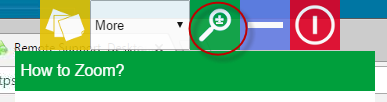
If the remote user has higher resolution screen, the screen you are viewing could look small. To change that, look for icons as show below in the viewer you are using.Zoom controls in Windows Viewer
A number of controls are provided in the latest version on Windows to Zoom and Fit the remote Viewer.
Zoom controls using Web Browser
If you are using HTMLViewer, click on the Zoom icon in the top menu to get options to zoom.Free version has zoom controls in the drop down.
RDP Zoom controls using Windows Remote Desktop: Option 1
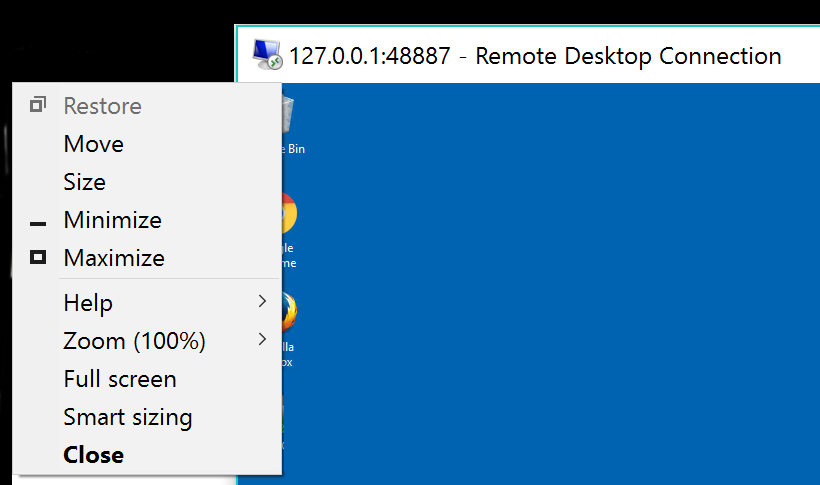
If you are using Windows 10 RDP session when connecting to your remote service PC, you have a few options related to changing the screen size or resolution.If you want to change screen size, the top left corner of the RDP provides some options. Use "Zoom" or "Smart sizing".
RDP Zoom controls using Windows Remote Desktop: Option 2
Follow these steps if you like to make a change to RDP and get a fixed size resolution.1) Connect once via RDP and then close the remote RDP window after you have connected.
2) Leave the ShowMyPC app running, since we are going to reconnect back in next step.
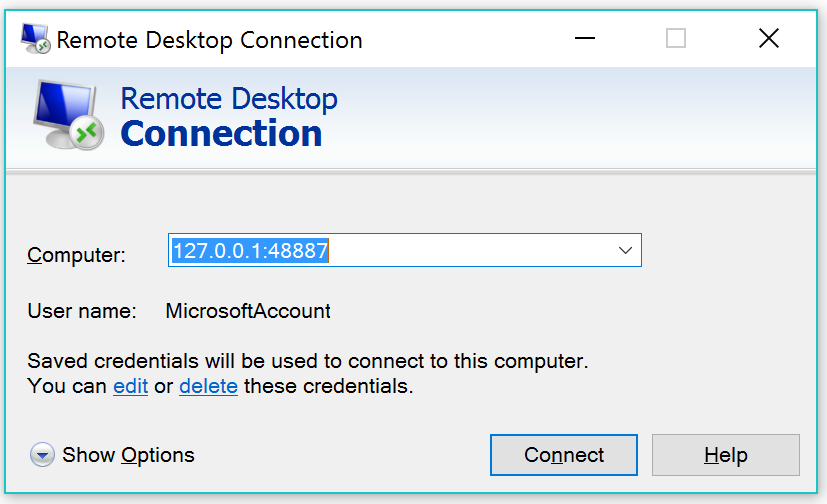
3) While ShowMyPC app is still running, On Windows Run > mstsc , this will launch RDP connection Window as below.
4) At bottom left of that windows click "Show Options" > Change Display Settings and Connect.
How to handle dual monitors?
For dual monitor, you have 2 options:1) Your users can scale the viewer to 100% as described above.
2) You may download a 3rd party tool like https://www.murgee.com, unrelated to ShowMyPC.com and turn on of off your dual monitor with ease.
How to change Viewer quality and colors?
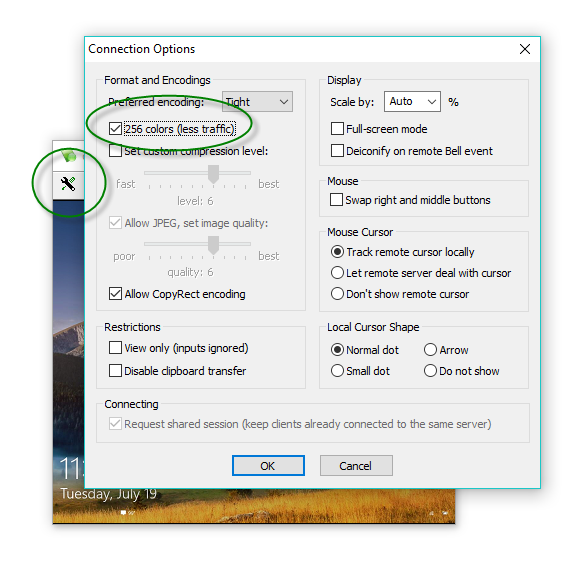
By default ShowMyPC application uses the fastest performance settings.To adjust the colors or quality connect to the meeting with viewer and click on the on the viewer toolbar shown below.



Contact