 |
|
|
|
Unattended PC Access
Reconnect on Reboot
|
settings_remote Setup Unattended PC Access (Reconnect on Reboot)
ShowMyPC provides a feature in its application to enable unattended access to a remote PC. This helps in a support session if you want to reboot a remote PC and reconnect back.
How to use Reconnect on Reboot?
You can enable this feature during a remote session yourself, or ask the remote user to do it for you.
1)
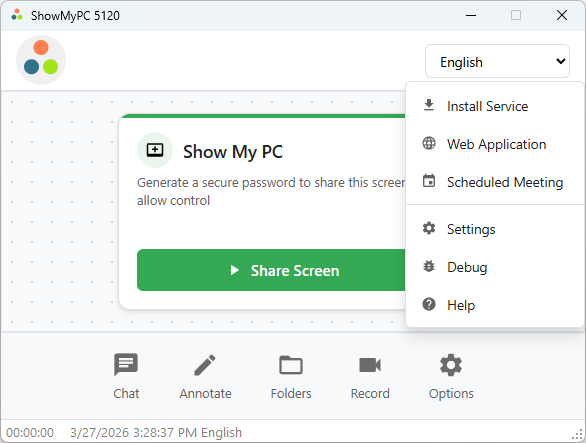
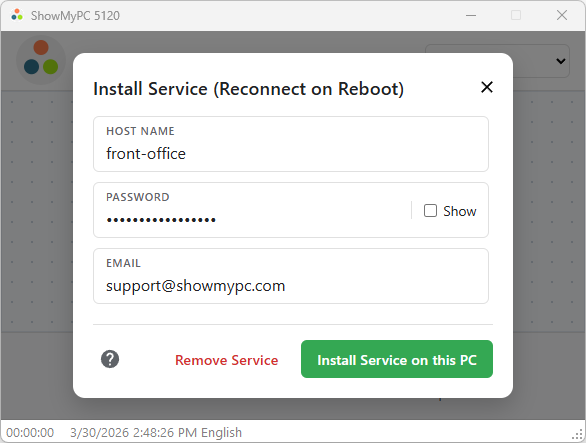
Go to Options > Install Service.
2)
Provide Host Name, Email and Password.
3)
If you are installing the service while you are connected remotely, you will be prompted to disconnect. You should disconnect and follow the steps below to connect back using Installed Service.
To View a remote PC with Installed Service:
Option 1: Use View or Full executable
1)
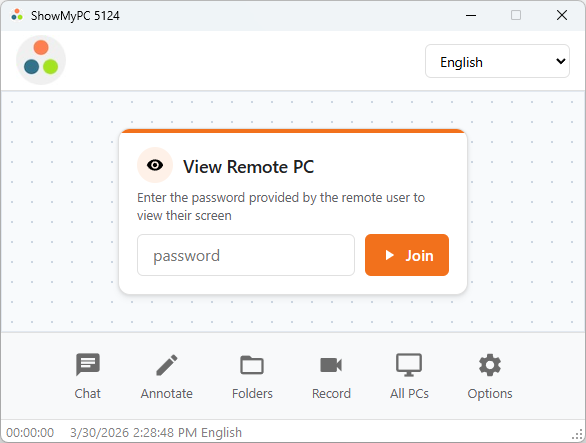
Click on All PCs.
2)
Select your PC from the list, enter password and connect.
(In some cases, it may take a few minutes for a PC to show in the list)
(In some cases, it may take a few minutes for a PC to show in the list)
Option 2: HTML Viewer
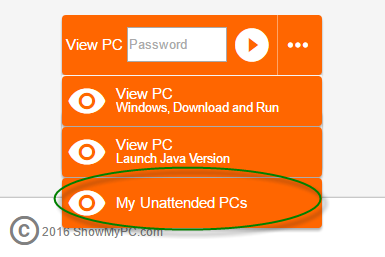
You can view all your Unattended PCs from your account page: View PC > My Unattended PCs.



Contact